
Quick Answer
Does more RAM increase FPS in BGMI? No, adding more RAM doesn’t automatically increase FPS in BGMI.
RAM helps your phone keep the game running smoothly by storing game data in memory, but it doesn’t directly generate more frames per second (FPS). In most cases, FPS depends more on your phone’s processor (CPU), graphics processor (GPU), BGMI optimization, and graphics settings than on RAM capacity alone.
However, if your phone doesn’t have enough RAM, adding more memory can reduce lag, improve multitasking, and make gameplay feel more stable.
So, while RAM can improve the overall gaming experience, it doesn’t guarantee higher FPS.
What Does RAM Actually Do in BGMI?
RAM (Random Access Memory) is your phone’s short-term working memory. It temporarily stores the data that BGMI needs while you’re playing, allowing the game to access textures, maps, player information, and background processes quickly.
Think of RAM as a workspace.
The larger the workspace, the more game data your phone can keep ready without constantly reloading it from storage.
This helps with:
- Faster game loading
- Better multitasking
- Smoother app switching
- Reduced background app reloads
- More stable gameplay during long sessions
However, RAM isn’t responsible for creating FPS.
Its primary job is to help your phone manage data efficiently while the CPU and GPU handle the actual game processing.
What Actually Determines FPS in BGMI?
Many players assume that buying a phone with more RAM automatically means higher FPS.
In reality, BGMI performance depends on several hardware and software factors working together.
The biggest factors include:
Processor (CPU)
The CPU handles game logic, physics calculations, AI, networking, and many background tasks. A more powerful processor can process game data faster, helping maintain stable performance.
Graphics Processor (GPU)
The GPU renders every frame you see on the screen.
If the GPU isn’t powerful enough, adding extra RAM won’t suddenly increase FPS because the graphics processor remains the limiting factor.
BGMI Optimization
BGMI doesn’t unlock every graphics mode and FPS option for every phone.
Even if two devices have similar hardware, the game may officially support different frame-rate options depending on optimization.
Graphics Settings
Higher graphics settings require the GPU to render more complex visuals.
Reducing graphics quality often improves FPS more than increasing RAM.
Thermal Performance
As your phone heats up during long gaming sessions, the processor may reduce its speed to control temperature.
This is called thermal throttling, and it can lower FPS even if your phone has plenty of RAM.
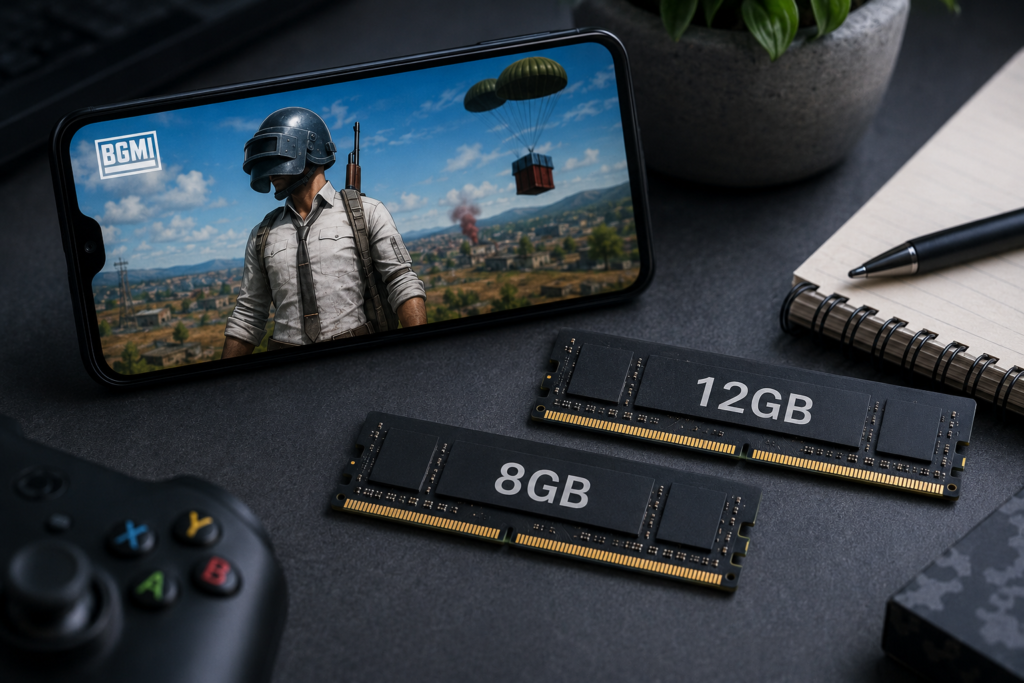
Can More RAM Increase FPS?
Sometimes—but only in specific situations.
If your phone already has enough RAM for BGMI, increasing RAM usually won’t improve FPS.
For example:
- A phone with 8GB RAM and a mid-range processor won’t magically run BGMI at 90 FPS just because it has 12GB RAM.
- If BGMI officially supports only 60 FPS, adding more RAM won’t unlock higher frame rates.
However, additional RAM can help when your device is running out of memory.
For example:
- Multiple apps running in the background
- Frequent app switching
- Longer gaming sessions
- Phones with only 4GB or 6GB RAM
In these cases, more RAM may reduce stuttering and make gameplay feel smoother, even if the FPS number stays the same.
FPS vs Smoothness: They’re Not Always the Same
One of the biggest misconceptions among mobile gamers is believing that smoother gameplay always means higher FPS.
That’s not true.
Imagine two phones:
- Phone A: Stable 60 FPS with enough RAM to keep background tasks under control.
- Phone B: Unstable 60 FPS because the phone constantly reloads apps and struggles with limited memory.
Both phones display the same FPS, but the first phone usually feels smoother because it experiences fewer interruptions.
This is why players sometimes think extra RAM increased FPS when it actually improved frame consistency and overall system stability.
How Much RAM Does BGMI Actually Need?
If you’re buying a phone mainly for BGMI, 8GB RAM is already enough for most players. Moving from 8GB to 12GB RAM does not automatically increase FPS or unlock a higher frame-rate option.
The difference becomes more noticeable when comparing phones with lower RAM capacities.
4GB RAM
4GB RAM can be limiting for modern gaming phones.
BGMI may run, but background apps can be closed more frequently and switching between apps may cause reloads. During longer gaming sessions, limited memory can also contribute to stutters when the system is under heavier load.
6GB RAM
6GB RAM is generally more usable for BGMI, especially on a well-optimized phone.
However, if you regularly keep several apps open while gaming, you may notice more background app reloads compared with a phone having 8GB or more RAM.
8GB RAM
8GB is the practical sweet spot for BGMI for most users.
It provides enough memory for the game while leaving room for system processes and normal multitasking.
If two phones have similar processors and one has 8GB RAM while the other has 12GB, don’t assume the 12GB model will provide higher FPS. The processor, GPU, thermal performance and BGMI’s supported frame rate still matter more.
12GB RAM
12GB RAM is useful if you want more headroom for heavy multitasking, demanding games and keeping multiple applications in memory.
But for BGMI alone, 12GB isn’t necessary just to get higher FPS.
If the rest of the hardware is the same, paying extra only for the additional RAM may provide little benefit to your actual gaming performance.
Does Virtual RAM or RAM Expansion Increase FPS in BGMI?
Usually, no.
Many smartphones offer features such as RAM Expansion, Extended RAM or Virtual RAM. These features use a portion of internal storage as additional memory when physical RAM is under pressure.
That sounds similar to adding actual RAM, but the two aren’t equivalent.
Physical RAM is much faster than phone storage, so virtual RAM shouldn’t be treated as an upgrade from 8GB to 12GB of physical RAM.
For BGMI, RAM expansion is more useful when the phone is running short of available memory or when you’re heavily multitasking. It should not be expected to turn a 60 FPS phone into a 90 FPS phone.
Simple example
Suppose a phone has:
8GB RAM + 8GB Virtual RAM
That does not mean the phone has the same gaming performance as a phone with 16GB of physical RAM.
The additional virtual memory is primarily there to help the system manage memory when needed. It doesn’t give the GPU additional processing power or automatically increase the number of frames BGMI can generate.
Does RAM Speed Affect BGMI FPS?
RAM speed can affect performance, but capacity is not the only specification that matters.
Modern smartphones use different memory standards, such as LPDDR4X and LPDDR5, with newer standards generally offering higher memory bandwidth and improved efficiency.
However, you shouldn’t assume that a phone with faster RAM will automatically deliver significantly higher FPS in BGMI.
The actual gaming performance still depends on the complete hardware combination:
CPU + GPU + RAM + storage + thermal management + software optimization
This is why looking at RAM capacity alone can give you the wrong impression when comparing gaming phones.
8GB vs 12GB RAM: Which Is Better for BGMI?
For most BGMI players, 8GB RAM is enough.
Choose 12GB RAM if:
- You frequently multitask while gaming.
- You keep many demanding apps open.
- You want more memory headroom for future use.
- The price difference is small and the rest of the hardware is also better.
Don’t choose 12GB RAM just because you expect higher FPS.
If a 12GB phone has a weaker processor than an 8GB phone, the 8GB phone can still provide better gaming performance.
This is also why comparing phones by their RAM numbers alone can be misleading when choosing between brands such as Poco and Realme.
What Matters More Than RAM for BGMI?
If gaming performance is your priority, evaluate these specifications before RAM capacity:
1. Processor and GPU
These are far more important for generating and maintaining FPS.
2. Official BGMI FPS Support
A phone needs proper game support for higher frame-rate options. More RAM cannot create an FPS mode that BGMI doesn’t provide for the device.
3. Thermal Management
A phone that gets excessively hot may reduce processor performance during long gaming sessions.
4. Display Refresh Rate
A higher refresh-rate display can show more frames, but it doesn’t force BGMI to generate them.
5. RAM
Once you have enough RAM for the game and normal multitasking, adding more provides diminishing returns.
So, Does More RAM Increase FPS in BGMI?
Not by itself.
More RAM can help prevent memory-related slowdowns when your phone is running short on available memory. That can improve stability and reduce some forms of stuttering.
But once your phone has enough RAM, adding more doesn’t directly make the CPU or GPU faster.
So if you’re deciding between:
8GB RAM + better processor
and
12GB RAM + weaker processor
the 8GB phone can easily be the better gaming device.
For BGMI, buying a phone with a stronger overall hardware combination is usually more important than simply choosing the model with the highest RAM number.
Does More RAM Reduce BGMI Lag?
It can, but only when RAM is actually the limiting factor.
Lag and FPS drops don’t always come from insufficient RAM. Network latency, thermal throttling, CPU/GPU limitations and game optimization can all affect how BGMI feels during gameplay.
If your phone has enough RAM available, adding more memory won’t automatically eliminate lag.
It’s useful to separate two different problems:
- Network lag: High ping, packet loss or an unstable connection.
- Performance stutter: Frame drops, delayed rendering or inconsistent frame delivery caused by the device.
More RAM can potentially help with the second category when the system is running short of available memory, but it cannot fix a poor internet connection.
Does 8GB RAM Give More FPS Than 6GB RAM?
Not necessarily.
If both phones have the same processor, GPU, thermal system and BGMI optimization, moving from 6GB to 8GB RAM doesn’t guarantee a higher FPS number.
The extra memory mainly gives the system more headroom for background processes and multitasking.
The difference becomes more relevant when the phone with less RAM is actually running out of memory and repeatedly closing or reloading applications.
So instead of asking:
“Is 8GB faster than 6GB?”
Ask:
“Does this phone have enough RAM to run BGMI comfortably without memory pressure?”
Once the answer is yes, other hardware specifications become more important.
Does 12GB RAM Future-Proof a Gaming Phone?
It can provide extra headroom, but it isn’t a guarantee of longer gaming performance.
Future BGMI updates may become more demanding, and having additional memory can help with heavier multitasking and larger applications.
However, the processor and GPU can become the limiting factors long before RAM capacity becomes a problem.
A 12GB phone with an older or weaker chipset isn’t automatically more future-proof for gaming than an 8GB phone with a significantly stronger processor.
For long-term gaming, consider the entire hardware platform, not RAM capacity in isolation.
Does RAM Affect 90 FPS or 120 FPS Support in BGMI?
No, RAM capacity alone doesn’t determine whether BGMI offers 90 FPS or 120 FPS on a phone.
Higher frame-rate support depends on factors such as the device’s hardware capability, GPU performance, thermal behavior and BGMI’s optimization and compatibility for that device.
This is why a phone with 12GB RAM can still be limited to 60 FPS, while another phone with 8GB RAM may officially support a higher frame-rate option.
For example, we’ve also looked at whether the Samsung Galaxy F15 can actually run BGMI at 60 FPS.
A larger RAM capacity cannot unlock an FPS mode that BGMI hasn’t enabled for the device.
The same principle applies to display refresh rate: a 120Hz screen doesn’t automatically mean BGMI will run at 120 FPS.
What Should You Prioritize When Buying a BGMI Phone?
If gaming is your main priority, don’t rank phones by RAM capacity alone.
A practical order is:
1. Processor + GPU
Look for a chipset capable of sustaining the FPS you want.
2. Official BGMI FPS support
Check which frame-rate options are actually available for that device.
For a real device-specific example, see how much FPS the Poco M7 Pro supports in BGMI and which frame-rate options are available.
3. Thermal management
Sustained performance matters more than a high FPS number that quickly drops during a long session.
4. Display refresh rate
The display should be capable of showing the frame rate you intend to use.
5. RAM capacity
Choose enough RAM for BGMI and your normal multitasking rather than simply buying the largest number.
This approach prevents a common mistake: paying extra for 12GB or 16GB RAM while ignoring the chipset that actually does most of the gaming work.
If you’re comparing Samsung phones specifically for gaming, our Samsung series comparison explains how the A, M, F and S series differ for gaming performance.
The Simple Rule for BGMI RAM
If you want a simple buying rule:
6GB RAM: Usable, but less headroom for multitasking.
8GB RAM: The practical choice for most BGMI players.
12GB RAM: Useful for heavy multitasking and extra headroom, but not necessary for higher FPS.
16GB RAM: Usually unnecessary for BGMI alone unless the phone offers other hardware advantages as well.
The important point is that more RAM has diminishing returns once you have enough memory for the game and your normal usage.
Final Answer: How Much RAM Is Enough for BGMI?
For most players, 8GB RAM is the sweet spot for BGMI.
You don’t need 12GB or 16GB RAM simply to get higher FPS. If your phone already has sufficient memory, spending more money on RAM alone is unlikely to produce a meaningful FPS improvement.
Instead, prioritize a strong processor and GPU, stable thermal performance, official BGMI FPS support and an appropriate display refresh rate.
RAM matters—but mainly when you don’t have enough of it.
The goal isn’t to have the most RAM. It’s to have enough RAM while putting your budget into the components that actually determine gaming performance.
Conclusion
More RAM doesn’t automatically mean more FPS in BGMI.
Once a phone has enough RAM to run the game comfortably, adding additional memory provides diminishing returns. For most players, 8GB RAM is enough, while 12GB or more is mainly useful for heavier multitasking and additional headroom.
If you’re choosing a gaming phone, look beyond the RAM number. Processor and GPU performance, official BGMI FPS support, thermal management and display capability will have a much bigger impact on your actual gaming experience.
The best gaming phone isn’t the one with the most RAM—it’s the one with the right balance of hardware and software performance.
Related Gaming Guides
- Does a 120Hz Display Mean 120 FPS in BGMI?
- How Much FPS Does Poco M7 Pro Support in BGMI?
- Can Samsung Galaxy F15 Run 60 FPS in BGMI?
- Which Samsung Series Is Best for Gaming? A, M, F or S Series Compared
- Poco vs Realme for Gaming
- Is Poco M7 Pro 5G Good for Gaming?
Frequently Asked Questions
Does more RAM increase FPS in BGMI?
No, not directly. More RAM can improve stability when a phone is running short of memory, but FPS is primarily determined by the processor, GPU, game optimization, graphics settings and thermal performance.
Is 8GB RAM enough for BGMI?
Yes. For most players, 8GB RAM is enough for BGMI and provides a good balance between gaming, multitasking and overall phone usage.
Is 12GB RAM better than 8GB RAM for BGMI?
12GB RAM provides more memory headroom, but it does not automatically provide higher FPS. An 8GB phone with a stronger processor can outperform a 12GB phone with a weaker chipset.
Does virtual RAM increase BGMI FPS?
Usually, no. Virtual RAM uses internal storage as additional memory and doesn’t provide the same performance as physical RAM. It should not be expected to increase BGMI’s maximum FPS.
Can more RAM unlock 90 FPS in BGMI?
No. RAM capacity alone cannot unlock 90 FPS. The available FPS options depend on the phone’s hardware, BGMI’s optimization and official device support.
Does RAM reduce BGMI lag?
It can reduce performance-related stuttering when the phone is running out of memory, but RAM cannot fix network lag caused by high ping or an unstable internet connection.
Is 6GB RAM enough for BGMI?
6GB can be enough for BGMI, particularly on a well-optimized phone, but 8GB provides more headroom for multitasking and background processes.
Is 16GB RAM necessary for BGMI?
No. 16GB RAM is generally unnecessary for BGMI alone. Once you have enough memory, processor performance, GPU capability and thermal management become more important.
What is more important for BGMI, RAM or processor?
The processor and GPU are generally more important for FPS. RAM helps the phone manage game data and background processes, but it doesn’t directly generate frames.