
How Much FPS Does Poco M7 Pro 5G Support in BGMI (2026)?
If you’re buying the Poco M7 Pro 5G mainly for BGMI, you’ve probably seen conflicting information online. Some videos claim the phone supports 90 FPS, while others show only 60 FPS or lower frame rate options.
So, what’s the truth?
Let’s separate official BGMI support from unofficial claims so you know exactly what to expect before buying the Poco M7 Pro 5G.
The answer isn’t as simple as looking at the processor. BGMI controls FPS support through its own device optimization, which means the available frame rate options can change with game updates and software versions.
Quick Answer
At the time of writing, the Poco M7 Pro 5G supports smooth BGMI gameplay, but native 90 FPS is not available for most users.
Some players claim to unlock 90 FPS using GFX tools or modified configuration files. However, these methods are unofficial, aren’t supported by BGMI or POCO, and aren’t recommended for long-term use.
If BGMI officially enables 90 FPS support in a future update, the available graphics options may change.
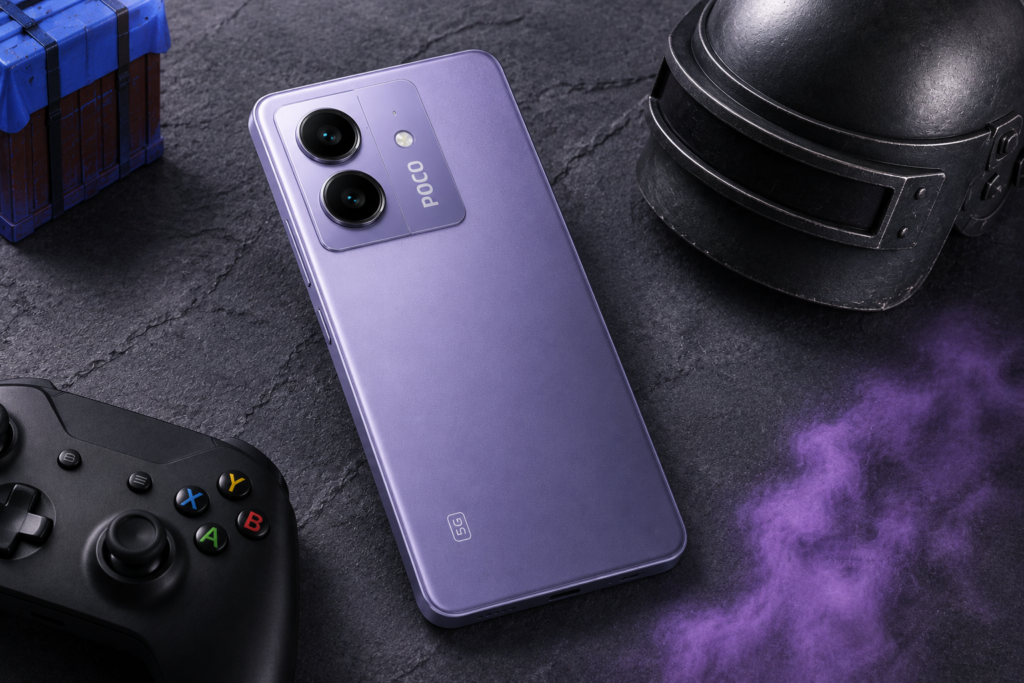
What Is the Maximum FPS Supported by Poco M7 Pro 5G in BGMI?
The Poco M7 Pro 5G is powerful enough to handle BGMI comfortably, but the maximum FPS you see inside the game isn’t decided by the phone alone.
Unlike display refresh rate or processor specifications, BGMI enables frame rate options individually for supported devices. This is why two smartphones with similar hardware can still show different graphics and FPS settings.
Currently, BGMI doesn’t offer native 90 FPS on the Poco M7 Pro 5G through its standard graphics settings.
The available FPS options may change in future BGMI updates as Krafton continues expanding device optimization.
In short, the Poco M7 Pro 5G is capable of smooth BGMI gameplay, but the maximum FPS you can access ultimately depends on BGMI’s official optimization for the device.
Poco M7 Pro 5G BGMI FPS Support at a Glance
| Question | Answer |
|---|---|
| Can it run BGMI? | ✅ Yes |
| Native 60 FPS | Up to 60 FPS (depending on current BGMI optimization) |
| Native 90 FPS | ❌ Not officially available for most users |
| 120Hz Display | ✅ Yes |
| 90 FPS via GFX Tool | Possible but unofficial |
| Recommended? | ❌ No |
Tip: If you notice FPS drops during long gaming sessions, switching to Smooth graphics instead of HD or HDR can provide more consistent frame rates.
Does Poco M7 Pro 5G Support 60 FPS or 90 FPS?
For most users, the Poco M7 Pro 5G provides a smooth BGMI experience using available graphics settings. While many players search specifically for native 90 FPS support, BGMI currently doesn’t provide that option for most Poco M7 Pro 5G users through its official graphics menu.
This has created confusion because some YouTube videos demonstrate higher frame rates using third-party GFX tools or modified configuration files.
It’s important to understand that these methods are unofficial.
They also don’t guarantee stable performance, and the unlocked FPS option may disappear after future BGMI updates.
Although they may work for some users, they aren’t supported by BGMI or POCO and may stop working after future game updates.
If your goal is reliable long-term gameplay, it’s always better to use available graphics settings instead of depending on third-party modifications.
BGMI regularly updates device optimization and graphics support, so the available FPS options may change in future game updates. (BGMI Official)
Does a 120Hz Display Mean 120 FPS?
No.
One of the biggest misconceptions among smartphone buyers is that a 120Hz display automatically guarantees 120 FPS gaming.
In reality, these are two completely different things.
The display refresh rate determines how often the screen can refresh every second, while FPS depends on what the game allows for your device.
Even if a phone has a 120Hz AMOLED display, BGMI may still limit the available frame rate options based on its own optimization.
This is why you should always check the actual BGMI FPS support instead of relying only on the display specifications.
The Poco M7 Pro 5G features a 120Hz AMOLED display, but display refresh rate doesn’t automatically mean 120 FPS gaming. (POCO Official Specs)
Best BGMI Graphics Settings for Poco M7 Pro 5G
Choosing the right graphics settings is just as important as the FPS option itself.
Many players immediately select the highest graphics quality available, assuming it will provide the best gaming experience. In reality, higher graphics can increase GPU workload, generate more heat, and reduce frame stability during long matches.
For most users, a balanced approach provides better results.
| Setting | Recommendation |
|---|---|
| Graphics Quality | Smooth or Balanced |
| Frame Rate | Highest available option |
| Anti-Aliasing | Off (optional for better performance) |
| Auto Adjust Graphics | Enabled |
| Brightness | Personal preference |
For most players, Smooth + the highest available frame rate provides the best balance between consistent FPS, temperature control and battery life.
These settings prioritize consistent gameplay instead of maximum visual effects.
If your main goal is competitive BGMI, smoother frame delivery is usually more beneficial than ultra graphics quality.
Still comparing gaming phones before making your decision? Check our detailed Poco vs Realme gaming comparison to see which brand offers a better overall gaming experience in this price range.
Why Doesn’t Every Phone With a Good Processor Get 90 FPS?
This is another common misconception.
Many gamers believe that a powerful chipset automatically guarantees higher FPS.
That’s not how BGMI works.
The game uses its own device optimization system to determine which graphics and FPS combinations are available for each supported smartphone.
Game performance depends on both hardware capability and game optimization, which is why similar phones may offer different FPS options.
Even if two phones use similar hardware, BGMI may offer different FPS limits because of:
- Official device optimization
- Software compatibility
- Game version
- Ongoing developer testing
This explains why one smartphone may receive new FPS options after a game update while another device with similar specifications continues to use older frame rate limits.
As a result, hardware capability and available FPS are not always the same thing.
What Can Affect FPS Performance on the Poco M7 Pro 5G?
Even if your phone supports a particular frame rate, you may not experience the same performance in every match.
FPS is influenced by several factors beyond the phone’s hardware. Understanding these factors can help you maintain a smoother gaming experience and avoid unnecessary frame drops.
1. BGMI Updates
One of the biggest reasons FPS support changes over time is the game itself.
BGMI regularly updates its graphics engine, supported devices, and optimization profiles. A phone that only supports one FPS option today may receive additional options in a future update—or occasionally lose certain options if the game changes its compatibility list.
That’s why it’s always better to check the latest in-game graphics settings after every major BGMI update instead of relying on old videos or screenshots.
2. Device Software Version
System updates also affect gaming performance.
POCO frequently releases software updates that improve:
- System stability
- Performance optimization
- Thermal management
- Battery efficiency
Installing the latest stable software version helps ensure the phone performs as intended during gaming sessions.
3. Device Temperature
Heat is one of the biggest enemies of stable FPS.
As the phone becomes hotter during long gaming sessions, the processor may reduce its performance to control temperature. This process is commonly known as thermal throttling.
When thermal throttling occurs, players may notice:
- Small FPS drops
- Less responsive gameplay
- Occasional stuttering
- Lower overall performance
Playing in a cool environment and avoiding charging while gaming can help reduce unnecessary heating.
4. Background Apps
Applications running in the background continue using RAM and processor resources.
Before starting BGMI, it’s a good idea to:
- Close unused apps
- Disable unnecessary downloads
- Free available memory
This gives the game more system resources and helps maintain smoother performance.
5. Battery Level
Many smartphones automatically reduce performance when the battery becomes very low.
If you’re planning longer gaming sessions, keeping the battery sufficiently charged helps maintain more consistent performance throughout the match.
FPS Support vs Actual Gameplay Performance
This is where many buyers get confused.
Higher FPS support does not automatically mean better gameplay.
For example:
Phone A
- Supports 90 FPS
- Frequent frame drops
- Heating issues
Phone B
- Stable 60 FPS
- Better optimization
- More consistent gameplay
In real-world gaming, Phone B often provides the better overall experience, even though its maximum FPS is lower.
This is why you shouldn’t judge a gaming phone only by its highest advertised frame rate.
Instead, consider:
- Frame stability
- Heat management
- Software optimization
- Long-session performance
These factors have a much bigger impact on your overall gaming experience than a single FPS number.
Should You Use GFX Tools to Unlock 90 FPS?
You may find several tutorials online explaining how to unlock higher FPS using GFX tools or modified configuration files.
While some players report success with these methods, they are unofficial solutions.
I don’t recommend using them for several reasons:
- They are not officially supported.
- They may stop working after BGMI updates.
- They can introduce unexpected performance problems.
- They may conflict with the game’s policies.
If BGMI enables native 90 FPS support for the Poco M7 Pro 5G in a future update, that option will always be the safer and more reliable choice than relying on third-party modifications.
Should You Buy Poco M7 Pro 5G for BGMI in 2026?
If your priority is stable BGMI gameplay rather than chasing unofficial FPS unlocks, the Poco M7 Pro 5G remains a sensible option in its price range.
Want a complete gaming review before buying? Read our detailed analysis of whether the Poco M7 Pro 5G is good for gaming, including heating, battery backup and long-session performance.
It offers a capable processor, a smooth 120Hz AMOLED display and reliable day-to-day gaming performance. However, if official native 90 FPS support is your top priority, you may want to compare other devices that currently offer that feature through BGMI itself.
Final Verdict
If your goal is stable BGMI gameplay, the Poco M7 Pro 5G is a solid choice. However, if you’re buying this phone specifically for official native 90 FPS support, you may be disappointed because that option isn’t currently available for most users.
While native 90 FPS isn’t available for most users at the time of writing, the phone still delivers a stable gaming experience using BGMI’s supported graphics settings.
If you’re considering unofficial GFX tools just to unlock higher frame rates, I’d recommend avoiding them. Official support is always more stable, safer and more reliable over the long term.
Overall, the Poco M7 Pro 5G is a reliable BGMI phone for players who value stable gameplay over unofficial FPS tweaks. If BGMI officially enables native 90 FPS support in the future, this guide will be updated with the latest information.
If you’re also considering Samsung smartphones for BGMI, check our Samsung Galaxy F15 gaming review to compare its real-world gaming performance with the Poco M7 Pro 5G.
FAQs
How much FPS does Poco M7 Pro 5G support in BGMI?
The Poco M7 Pro 5G supports smooth BGMI gameplay using the available graphics and FPS options. The exact frame rate depends on BGMI’s latest optimization and device support.
Does Poco M7 Pro 5G support 90 FPS in BGMI?
At the time of writing, native 90 FPS is not available for most users. Some players claim to unlock higher FPS using unofficial GFX tools, but these methods are not supported and are not recommended.
Does Poco M7 Pro 5G support 60 FPS in BGMI?
Depending on BGMI’s current optimization and software version, many users can access smooth gameplay using supported frame rate options available for the device.
Can BGMI updates change FPS support?
Yes.
BGMI updates can improve or change graphics settings and FPS availability for supported devices over time.
Should I use GFX tools to unlock 90 FPS?
No.
Although some users report success with unofficial tools, they are not supported and may affect stability or stop working after future updates.
Why doesn’t Poco M7 Pro 5G support native 90 FPS?
BGMI controls graphics settings individually for supported devices. Even if a phone has capable hardware, native 90 FPS won’t appear unless BGMI officially enables it for that specific model.